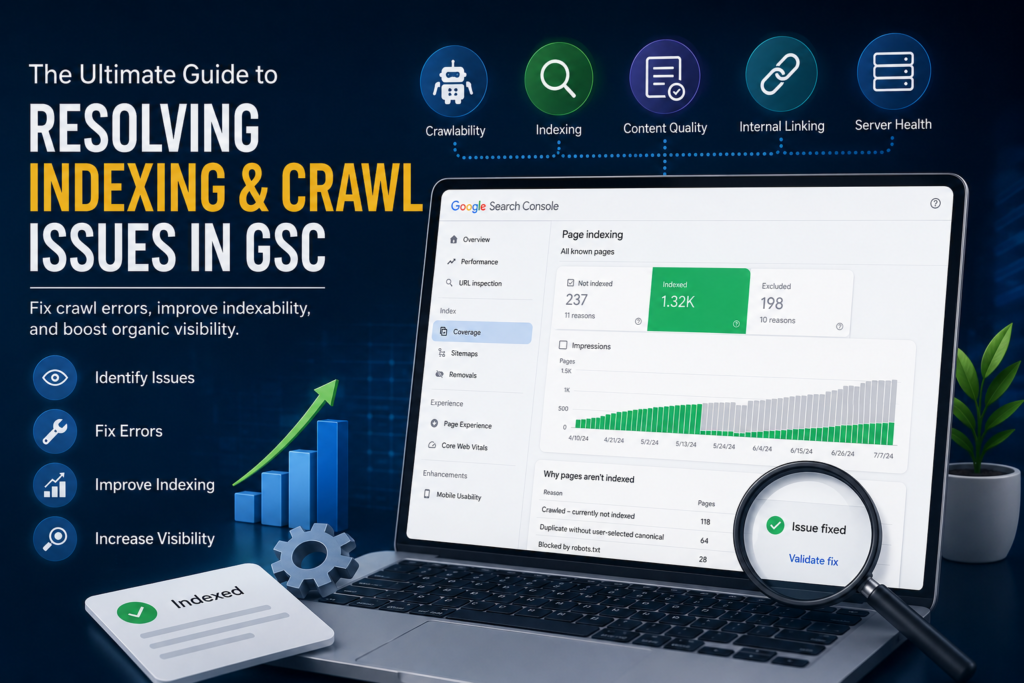
A website can have outstanding content, attractive design, and excellent user experience, yet still struggle to generate organic traffic if Google cannot properly handle its indexing and crawlability functions. Crawlability refers to Google’s ability to access and navigate your website, while indexing determines whether those pages are stored in Google’s database and become eligible to appear in search results.
When either process encounters obstacles, valuable content may remain invisible to potential visitors. Understanding how these systems work together is essential for anyone who wants to improve rankings, increase visibility, and maximize the return on their SEO efforts.
Google Search Console (GSC) provides website owners with valuable insights into how Google interacts with their websites. Through reports such as Page Indexing, Crawl Stats, and URL Inspection, users can identify technical issues before they negatively impact performance.
Businesses looking to strengthen their SEO foundation often explore resources like professional website optimization solutions, to better understand search engine requirements and improve site visibility. By consistently monitoring GSC reports, website owners can quickly identify problems and implement solutions that support long-term search growth.
1. Diagnostics of Common Indexing Obstacles
Understanding Common Crawl and Indexing Problems
Many website owners discover indexing issues only after noticing a decline in traffic or realizing that important pages are missing from search results. Some of the most common issues include blocked pages, duplicate content, server errors, redirect loops, and pages marked as “Crawled – Currently Not Indexed.”
These errors prevent Google from fully understanding the website and can significantly reduce organic visibility. The first step toward solving any indexing issue is identifying the exact reason Google has excluded a page from its index. Search Console makes this process easier by providing detailed explanations and affected URL reports.
Pages Blocked by Robots.txt
The robots.txt file serves as a guide for search engine crawlers by specifying which sections of a website they can access. While this file is useful for preventing unnecessary crawling, incorrect directives can accidentally block important content. If critical pages are restricted, Googlebot may never crawl them, making indexing impossible.
Review your robots.txt file regularly to ensure valuable pages remain accessible. Pay special attention to newly added sections, category pages, and blog content. Even a minor configuration mistake can prevent search engines from discovering important information. After making corrections, use Google Search Console’s testing tools to confirm that Google can access the affected URLs successfully.
The Impact of Noindex Tags
Noindex tags are another frequent cause of indexing problems. These tags instruct search engines not to include a page in search results. While useful for private pages, duplicate content, or staging environments, they can become problematic when applied unintentionally.
Conduct regular audits of your website’s source code and SEO plugin settings. If a valuable page contains a noindex directive by mistake, remove it immediately and request indexing through Search Console. Many websites experience sudden traffic losses simply because important pages were accidentally excluded from Google’s index through misconfigured settings.
2. Technical and Quality Optimizations
Fixing “Crawled – Currently Not Indexed” Status
One of the most confusing messages in Google Search Console is “Crawled – Currently Not Indexed.” This status means Google successfully visited the page but decided not to add it to the index. In most cases, this occurs because Google perceives the content as low value, duplicate, or insufficiently useful compared to other pages already indexed.
To improve indexing chances, focus on enhancing content quality through these methods:
- Expand thin articles: Add original insights, research data, and helpful details.
- Improve structural formatting: Use clean headings and bullet points to help machine reading.
- Incorporate multimedia: Include relevant images, infographics, and clear definitions.
- Strengthen internal networks: Build strong thematic linking contexts across your platform.
Pages that provide unique value and satisfy user intent are more likely to earn a place in Google’s index. Quality improvements often produce better results than repeatedly requesting indexing without making meaningful changes.
Resolving Duplicate Content Issues
Duplicate content can create confusion for search engines when multiple URLs display similar or identical information. Google may struggle to determine which version deserves to rank, resulting in indexing issues and diluted ranking signals.
Canonical tags provide a solution by identifying the preferred version of a page. Ensure that canonical URLs, internal links, and XML sitemap entries all point consistently to the same destination. Proper canonicalization helps consolidate authority and improves Google’s ability to understand website structure, reducing the likelihood of duplicate-content-related exclusions.
Addressing Server Errors and Technical Barriers
Reliable website performance plays a crucial role in crawlability. If your server regularly experiences downtime, timeout issues, or 500-series errors, Google may reduce crawl activity. Persistent technical problems can delay indexing and negatively impact overall SEO performance.
Monitor server logs and hosting performance regularly. Upgrading hosting resources, optimizing databases, and implementing caching solutions can improve website stability. A fast and reliable server environment allows Googlebot to access pages efficiently, increasing the likelihood of successful crawling and indexing. Technical reliability is often overlooked, yet it remains one of the most important factors in maintaining healthy search visibility.
3. Structural Accuracy and On-Going Monitoring
Improving XML Sitemap Accuracy
An XML sitemap helps search engines discover website content more efficiently. However, many websites submit outdated sitemaps containing redirects, broken URLs, or non-indexable pages. These issues can waste crawl resources and reduce indexing efficiency.
Maintain a clean sitemap that includes only valuable pages intended for search results. Remove outdated URLs and ensure all listed pages return a successful status code. After updating the sitemap, submit it through Google Search Console and monitor the processing results. A well-maintained sitemap improves content discovery and helps search engines prioritize important pages.
Strengthening Internal Linking and Site Architecture
Internal links help search engines understand relationships between pages while guiding crawlers through the website. Pages with few internal links often receive less attention from search engines and may remain unindexed for longer periods.
Develop a logical site structure that connects related content naturally. Use descriptive anchor text and ensure important pages are accessible within a few clicks from the homepage. Strong internal linking not only improves crawlability but also enhances user experience by helping visitors discover relevant information more efficiently. A well-organized website architecture creates a stronger foundation for sustainable SEO success.
Using Google Search Console for Ongoing Monitoring
Google Search Console should not be viewed as a tool for solving problems only when they occur. Instead, it should be part of a continuous monitoring strategy. Regularly review indexing reports, crawl statistics, and coverage issues to identify trends and emerging concerns.
The Validate Fix feature allows website owners to notify Google after resolving issues. Monitoring validation progress helps confirm whether corrections have been recognized successfully. Consistent oversight ensures that technical SEO problems are addressed before they affect rankings, traffic, and overall website performance.
Frequently Asked Questions (FAQs)
1. What causes pages to remain unindexed in Google?
Common causes include duplicate content, low-quality pages, crawl restrictions, noindex tags, server errors, and poor internal linking.
2. How often should I check Google Search Console?
Website owners should review Search Console at least once per week to identify technical issues and monitor indexing performance.
3. Can a robots.txt file prevent pages from ranking?
Yes. If important pages are blocked in robots.txt, Google may be unable to crawl them, limiting their ability to rank in search results.
4. Why does Google crawl a page but not index it?
This usually happens when Google believes the page offers limited value, duplicates existing content, or lacks sufficient quality signals.
5. How can I speed up indexing after fixing an issue?
Use the URL Inspection Tool in Google Search Console and request indexing after making meaningful improvements to the page.
Conclusion
Resolving crawl and indexing issues is one of the most important aspects of technical SEO. Without proper crawling and indexing, even the most valuable content cannot achieve its ranking potential. By monitoring Google Search Console regularly, fixing crawl barriers, improving content quality, maintaining accurate sitemaps, and strengthening internal linking, website owners can create an environment where search engines can efficiently discover and index valuable pages. A proactive approach to technical SEO not only improves visibility but also supports long-term growth, stronger rankings, and sustainable organic traffic.

