Understanding the SEO Impact of 301 Redirects and 404 Errors
If you’ve ever migrated a website, deleted outdated pages, or reorganized your URL structure, you’ve probably encountered 301 redirects and 404 errors.
While both are HTTP status codes, they serve completely different purposes—and using the wrong one can significantly impact your rankings, crawl efficiency, and user experience.
One of the most common SEO mistakes is assuming that a 301 redirect and a 404 error are interchangeable. They’re not.
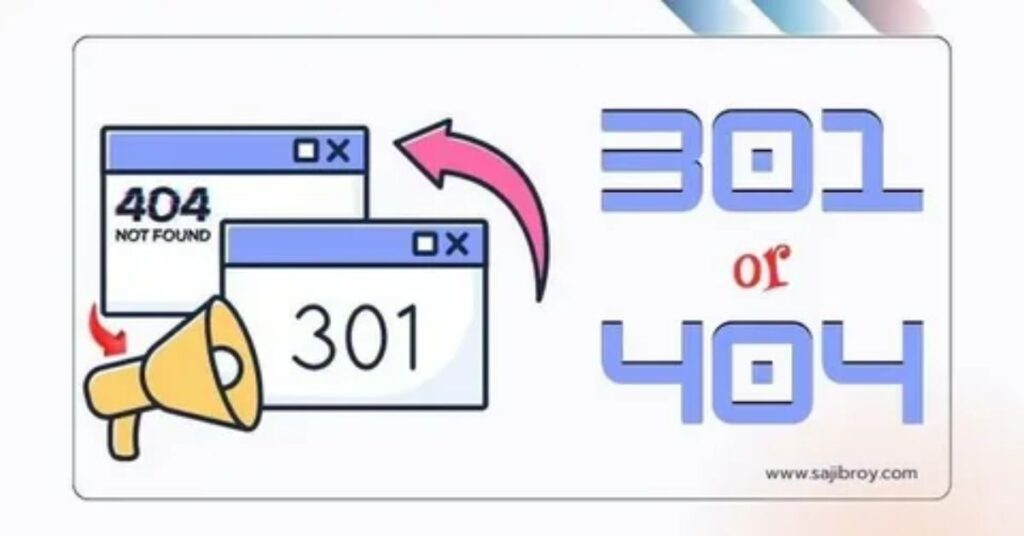
A 301 redirect tells search engines that a page has permanently moved to a new location, allowing most of its SEO value to be transferred. A 404 error, on the other hand, tells browsers and search engines that the requested page no longer exists.
Knowing when to redirect a page and when to let it return a 404 is critical for maintaining a healthy website.
In this guide, you’ll learn:
- What 301 redirects and 404 errors actually mean
- How Google handles each status code
- The SEO advantages and disadvantages of both
- Real-world migration scenarios
- Best practices for deciding which one to use
What Is a 301 Redirect?
A 301 redirect is an HTTP status code indicating that a webpage has been permanently moved to another URL.
Instead of displaying the old page, browsers automatically send visitors to the new destination.
Example:
HTTP/1.1 301 Moved Permanently
Location: https://example.com/new-page/
What Happens During a 301 Redirect?
When a user requests:
example.com/old-pageThe server responds:
301 Moved PermanentlyThe browser immediately loads:
example.com/new-pageSearch engines also update their index over time, replacing the old URL with the new one.
What Is a 404 Error?
A 404 Not Found status means the server cannot locate the requested resource.
Example:
HTTP/1.1 404 Not FoundUnlike a redirect, no alternative page is provided.
Visitors usually see a message like:
Sorry, this page doesn’t exist.
Search engines understand that the content is unavailable.
301 Redirect vs 404 Error: Quick Comparison
| Feature | 301 Redirect | 404 Error |
|---|---|---|
| HTTP Status | 301 | 404 |
| Meaning | Permanently moved | Page not found |
| Passes Link Equity | Yes (most signals) | No |
| User Experience | Redirects visitors automatically | Shows error page |
| Google Index | New page replaces old | Page eventually removed |
| SEO Benefit | Preserves rankings | Removes obsolete pages |
| Best Use Case | URL changes | Deleted content with no replacement |
How Google Treats 301 Redirects
Google officially recommends using 301 redirects whenever content permanently moves.
Benefits include:
- Preserves backlinks
- Transfers ranking signals
- Updates Google’s index
- Prevents broken links
- Maintains user experience
Although Google doesn’t guarantee that 100% of ranking signals transfer, modern algorithms pass nearly all significant signals when redirects are implemented correctly.
How Google Treats 404 Errors
Google does not penalize websites simply because they have 404 pages.
In fact, 404 responses are completely normal.
Google expects websites to:
- Remove outdated content
- Delete expired product pages
- Retire temporary campaign URLs
Eventually Google drops genuine 404 pages from its index.
The important distinction is between natural 404s and accidental broken pages.
When Should You Use a 301 Redirect?
Use a 301 redirect whenever there is a relevant replacement page.
Common situations include:
Website Migration
Example:
oldsite.com/about-us
↓

newsite.com/about-us
All URLs should redirect permanently.
URL Structure Changes
Old:
example.com/blog/seo-guideNew:
example.com/seo-guideRedirect the old URL.
HTTPS Migration
http://example.com

↓

https://example.com
Every HTTP page should permanently redirect to HTTPS.
Domain Changes
Example:
example.net

↓

example.com
301 redirects preserve SEO authority.
Merging Similar Articles
Instead of competing pages:
SEO Basics
SEO Beginner Guide
SEO Guide 2025
Merge them into one comprehensive guide and redirect the older URLs.
When Should You Use a 404 Error?
A 404 is the right choice when there is no relevant replacement.
Examples include:
Expired Event Pages
Conference pages from years ago usually don’t need redirects.
Deleted Test Pages
Examples:
example.com/test

example.com/demo

example.com/temp
These can safely return 404.
Spam URLs
If hackers generate fake URLs:
/casino-links

/free-money

/random123
404 responses help Google understand these pages never existed.
Thin or Low-Quality Pages
If you’re permanently removing content without an equivalent replacement, returning a 404 is often better than redirecting users to irrelevant pages.
Why Redirecting Every 404 Is a Bad Idea
Many site owners redirect all missing pages to:
- Homepage
- Blog homepage
- Contact page
This creates poor user experience.
Example:
User wants:
example.com/best-seo-toolsInstead gets:
HomepageThe visitor is confused.
Google may treat these as soft 404s, meaning the redirect is ignored because the destination isn’t relevant.
Real-World SEO Scenario
Imagine an eCommerce store.
Old Product
/iphone-13-caseThe product is discontinued.
Scenario 1
A replacement exists:
/iphone-15-caseUse a 301 redirect.
Scenario 2
The entire product line is discontinued.
No similar replacement exists.
Return:
404or
410 GoneBoth are acceptable, with 410 signaling that the removal is intentional.
SEO Benefits of 301 Redirects
Proper redirects help:
- Preserve backlinks
- Maintain keyword rankings
- Prevent crawl waste
- Improve user experience
- Consolidate duplicate content
- Preserve referral traffic
- Simplify site migrations
SEO Drawbacks of Excessive Redirects
Not every redirect is beneficial.
Problems include:
Redirect Chains
Page A

↓

Page B

↓

Page C
Google recommends redirecting directly:
Page A

↓

Page C
Redirect Loops
A → B

B → A
Users become trapped, and browsers display errors.
Irrelevant Redirects
Redirecting deleted pages to unrelated destinations can trigger soft 404 classifications.
SEO Benefits of Proper 404 Pages
A well-designed 404 page can still provide value.
Include:
- Clear error message
- Site navigation
- Search box
- Popular articles
- Product categories
- Homepage link
This helps users recover instead of leaving your website.
301 vs 404: Which Is Better for SEO?
The answer depends entirely on the situation.
| Situation | Best Choice |
|---|---|
| URL changed | 301 Redirect |
| Domain migration | 301 Redirect |
| HTTPS migration | 301 Redirect |
| New page replaces old | 301 Redirect |
| Article merged | 301 Redirect |
| Content permanently removed | 404 |
| Spam URL | 404 |
| Deleted test page | 404 |
| No equivalent replacement | 404 |
There is no universal winner.
A 301 redirect is better when preserving authority and guiding users to relevant content. A 404 is better when content genuinely no longer exists and forcing a redirect would create a poor experience.
Common SEO Mistakes to Avoid
Redirecting Every Deleted Page to the Homepage
This often results in soft 404s and confuses users.
Creating Long Redirect Chains
Always redirect directly to the final destination.
Ignoring Valuable Backlinks
If a deleted page has strong inbound links, redirect it to the most relevant replacement rather than losing that equity.
Leaving Broken Internal Links
Update internal links after URL changes instead of relying solely on redirects.
Using Temporary Redirects for Permanent Moves
Use a 301 for permanent changes—not a temporary redirect.
How to Decide Between a 301 and a 404
Ask yourself these questions:
- Has the content permanently moved?
- Yes: Use a 301 redirect.
- Is there a highly relevant replacement page?
- Yes: Use a 301 redirect.
- Has the content been permanently removed with no suitable alternative?
- Yes: Return a 404 (or 410).
- Will redirecting users improve their experience?
- Yes: Redirect.
- No: Let the page return a proper 404.
Using relevance—not convenience—as your guiding principle aligns with Google’s recommendations and leads to better long-term SEO outcomes.
Learn More About Redirect Strategy
If you’re building or maintaining a technically optimized website, this article is just one part of the bigger picture. For a complete understanding of redirect strategies, HTTP status codes, migration planning, common mistakes, and SEO best practices, read our 301 Redirects: The Complete SEO Guide. It serves as the main pillar resource for everything related to redirects and URL management.
Frequently Asked Questions (FAQ)
Q1: Is a 301 redirect better than a 404 for SEO?
It depends. Use a 301 redirect when a page has moved or has a relevant replacement. Use a 404 when the content has been permanently removed and no suitable alternative exists.
Q2: Does a 404 error hurt SEO?
Not by itself. Genuine 404 errors are a normal part of the web. Problems arise only when important pages accidentally return 404 responses or when broken internal links are left unresolved.
Q3: Do 301 redirects pass SEO value?
Yes. Google states that permanent redirects pass ranking signals, making them the preferred option when content moves permanently.
Q4: Should I redirect every deleted page?
No. Redirect only to a closely related page. Redirecting everything to the homepage or unrelated content can create soft 404 issues and a poor user experience.
Q5: What’s the difference between a 404 and a 410 status code?
A 404 indicates that a page cannot be found, while a 410 (“Gone”) explicitly tells search engines that the page has been permanently removed. Both are valid when no replacement content exists.
Q6: Can too many redirects affect website performance?
Yes. Long redirect chains and loops increase page load times, waste crawl budget, and create a poor experience for both users and search engines.
Conclusion
The debate over 301 vs 404 isn’t about choosing the “better” status code—it’s about using the right response for the right situation.
A 301 redirect preserves rankings, transfers link equity, and ensures visitors reach the correct destination when content has moved. A 404 error honestly communicates that a page no longer exists and prevents misleading users or search engines.
Successful technical SEO depends on making deliberate decisions rather than applying blanket rules. Redirect pages that have meaningful replacements, and allow truly obsolete content to return a proper 404. By following this approach, you’ll improve user experience, maintain search visibility, and keep your site’s architecture clean and crawl-friendly.

