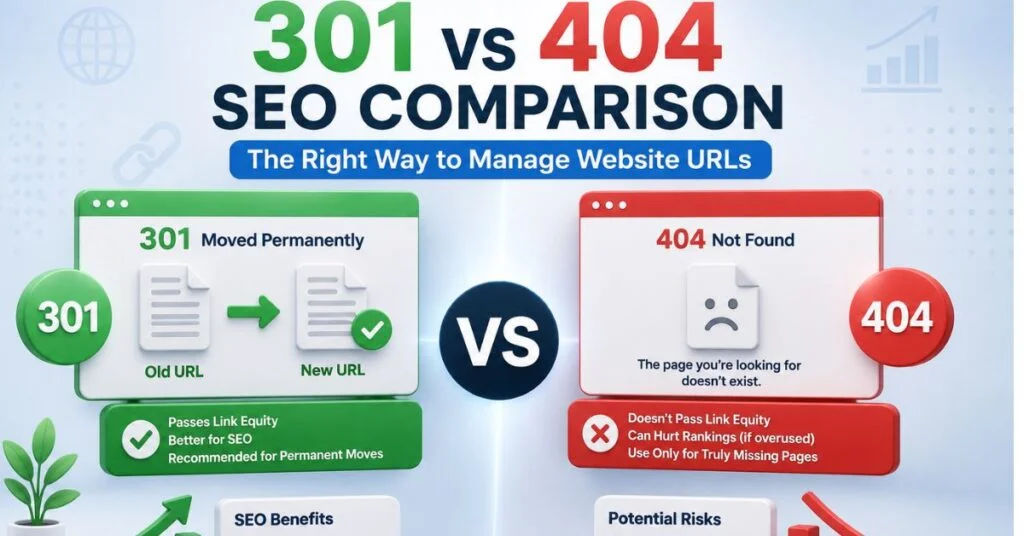
Managing website URLs well isn’t about memorizing which status code is “correct” — it’s about building a repeatable system for deciding, implementing, and auditing every URL change your site goes through. Most sites don’t fail because someone doesn’t know what a 301 is; they fail because there’s no consistent process governing when to redirect, when to let a page 404, and how to catch mistakes before they compound. This comparison lays out that system.
Reframing the Question: It’s Not 301 vs 404, It’s “Which Fits This URL?”
Treating 301 and 404 as competitors misses the point — they solve different problems. A 301 protects equity when content has a genuine successor. A 404 is the honest, correct signal when content has none. The real skill in URL management is building a workflow that classifies every dead URL correctly at scale, not just understanding the codes in isolation.

Full Comparison Table
| Management Factor | 301 Redirect | 404 Not Found |
| Correct use case | Content moved, merged, or renamed | Content permanently discontinued |
| Signal handling | Consolidates ranking signals to new URL | Signals expire from the index |
| Implementation effort | Requires mapping old → new URL | Requires no action beyond default server behavior |
| Risk if misused | Redirect chains, soft 404s if irrelevant target | Lost backlink equity if content actually had a replacement |
| Maintenance overhead | Needs periodic audit for broken redirects | Needs periodic audit to confirm nothing valuable is 404ing |
| Google’s crawl behavior | Continues crawling, consolidates over weeks | Reduces crawl frequency, eventually deindexes |
| User experience impact | Invisible, seamless | Visible interruption unless custom 404 page is helpful |
Server-Level Implementation Reference
Apache (.htaccess)
apache
# Single redirect
Redirect 301 /old-url/ https://example.com/new-url/

# Pattern-based redirect for a moved directory
RedirectMatch 301 ^/old-category/(.*)$ https://example.com/new-category/$1
Nginx
nginx
location /old-url/ {
    return 301 https://example.com/new-url/;
}

# Directory-level pattern
rewrite ^/old-category/(.*)$ /new-category/$1 permanent;
WordPress (Redirection Plugin)
Navigate to Tools → Redirection, add the source and target URLs, confirm the status type is set to “301 – Moved Permanently,” and save. For bulk migrations, the plugin supports CSV import so you can map hundreds of URLs at once rather than entering them manually.
A Repeatable URL Management Workflow
Re-crawl quarterly to confirm old redirects are still resolving correctly and no new orphaned 404s have appeared.
Run a full crawl with Screaming Frog or a similar tool to inventory every URL currently returning a 404, and cross-reference against Google Search Console’s Page Indexing report.
Prioritize by backlink value — use Ahrefs or a similar backlink tool to identify which 404ing URLs still hold external links pointing to them; these are the highest-priority redirect candidates.
Classify each URL: genuine replacement exists → 301; no replacement exists → leave as 404 or convert to 410.
Map redirects directly to final destinations — never chain a redirect through two or three intermediate URLs, since each hop dilutes signal strength and adds latency.
Document every redirect in a maintained spreadsheet or the Redirection plugin’s log, so future migrations don’t recreate loops or duplicate rules.
WordPress (Redirection Plugin)
Navigate to Tools → Redirection, add the source and target URLs, confirm the status type is set to “301 – Moved Permanently,” and save. For bulk migrations, the plugin supports CSV import so you can map hundreds of URLs at once rather than entering them manually.
A Repeatable URL Management Workflow
- Run a full crawl with Screaming Frog or a similar tool to inventory every URL currently returning a 404, and cross-reference against Google Search Console’s Page Indexing report.
- Prioritize by backlink value — use Ahrefs or a similar backlink tool to identify which 404ing URLs still hold external links pointing to them; these are the highest-priority redirect candidates.
- Classify each URL: genuine replacement exists → 301; no replacement exists → leave as 404 or convert to 410.
- Map redirects directly to final destinations — never chain a redirect through two or three intermediate URLs, since each hop dilutes signal strength and adds latency.
- Document every redirect in a maintained spreadsheet or the Redirection plugin’s log, so future migrations don’t recreate loops or duplicate rules.
- Re-crawl quarterly to confirm old redirects are still resolving correctly and no new orphaned 404s have appeared.

Common Mismanagement Patterns to Avoid
- Redirecting everything to the homepage. Google flags this as a soft 404 pattern and it provides no ranking benefit.
- Letting valuable, backlinked pages 404 silently. Always check backlink data before deleting a page permanently.
- Building redirect chains during repeated migrations. Each site redesign should flatten existing redirects, not stack new ones on top.
- Ignoring 410 Gone as an option. For content you want deindexed faster and more deliberately, 410 communicates permanence more clearly than a plain 404.
- Forgetting mobile and AMP URL variants. If your site has separate mobile URLs, they need matching redirect rules too, or you’ll create orphaned duplicate 404s.
Technical Takeaways
- Good URL management is a workflow, not a one-time fix — build an audit cadence, not a single cleanup project.
- Prioritize redirect implementation based on backlink value, not just page count.
- Always redirect to the final destination directly; never chain.
- A healthy site has both 301s and legitimate 404s — the goal is correct classification, not eliminating 404s entirely.
- Document every redirect rule so future site changes don’t recreate the same problems.
Where This Fits Into Your Redirect Strategy
This comparison covers the decision framework — for the complete strategic deep dive on migration planning, crawl budget preservation, and large-scale redirect mapping, see our comprehensive guide on 301 redirects and 404 error management.
Conclusion
Managing 301s and 404s well isn’t about defaulting to one over the other — it’s about building a consistent classification and audit process that treats every dead URL on its own merits. Redirect what has genuine value and a real destination; let go of what doesn’t. Sites that follow this discipline protect their ranking equity while keeping their URL structure clean and honest.
FAQ
Q: How often should I audit my site’s 301 redirects and 404 errors?
A: A quarterly crawl audit is a reasonable baseline for most sites, with additional checks immediately after any major migration or URL restructuring.
Q: Should every 404 on my site eventually become a 301?
A: No. Only 404s with genuine replacement content should be redirected; forcing 301s onto unrelated pages creates soft 404 issues.
Q: What tool is best for finding which 404 pages still have backlinks?
A: Backlink analysis tools like Ahrefs, Semrush, or Google Search Console’s links report can identify which 404ing URLs are still receiving external link equity worth preserving.
Q: Is it worth using 410 instead of 404 for old content?
A: Yes, when you specifically want faster, more deliberate deindexing — 410 signals permanence more clearly than a standard 404.

