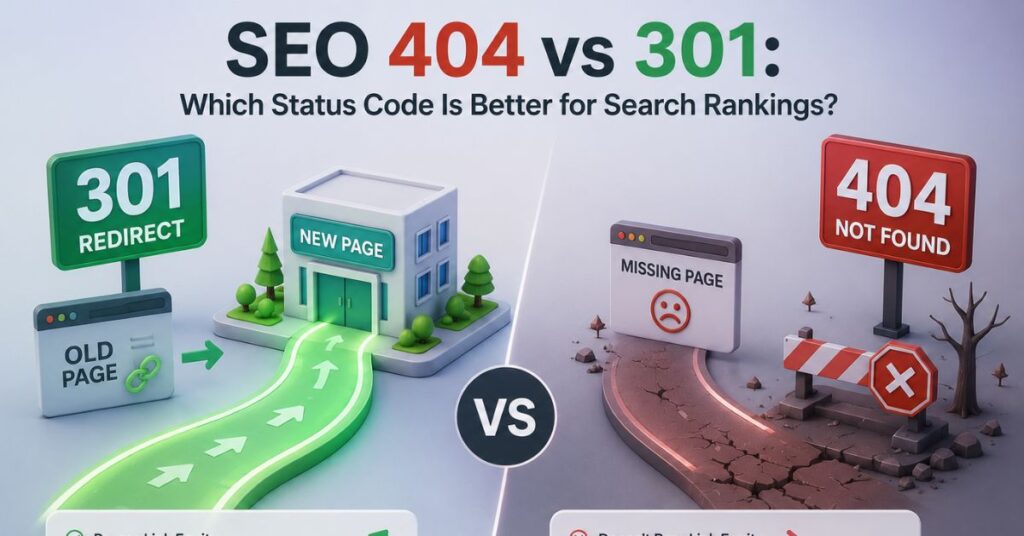
404 vs 301: Which Status Code Wins for SEO?
When a URL stops working, the HTTP status code your server returns determines whether you preserve years of accumulated ranking equity or start from zero. This isn’t a cosmetic technical detail — it’s a direct signal to Googlebot about how to treat that URL going forward, and getting it wrong can silently bleed organic traffic for months before anyone notices.
If you’re searching for a definitive answer on which code wins for SEO, the short version is: it depends on whether the content moved or disappeared — but the mechanics behind that decision matter far more than the one-line answer.
What Each Status Code Actually Tells Google
HTTP 301 — Moved Permanently
A 301 response header looks like this in a raw server exchange:
HTTP/1.1 301 Moved Permanently
Location: https://example.com/new-page/
This tells crawlers and browsers the resource has permanently relocated, and any indexed signals — backlinks, anchor text relevance, historical ranking data — should transfer to the destination URL. Google’s own documentation confirms 301s pass the vast majority of ranking signals to the target page over time, provided the redirect is consistent and not chained excessively.
HTTP 404 — Not Found
A 404 response looks like this:
HTTP/1.1 404 Not Found
Content-Type: text/html
This tells Google the resource is gone, with no indication of where equivalent content now lives. Google will eventually deindex the URL and drop any associated signals. A 404 is not inherently “bad” — it’s the correct, honest response when content has no replacement.

Side-by-Side Comparison
| Factor | 301 Redirect | 404 Not Found |
|---|---|---|
| Ranking signal transfer | Yes, majority passed to target | No, signals are lost |
| Backlink equity preservation | Preserved | Lost |
| User experience | Seamless redirection | Dead end, requires navigation |
| Best use case | Content moved/merged/renamed | Content permanently removed, no replacement |
| Crawl budget impact | Minimal if not chained | Google eventually stops crawling |
| Indexing timeline | Signals transfer within weeks | Deindexing within weeks |
| Google’s stated guidance | Preferred for equivalent content | Acceptable for genuinely gone content |
When 301 Is the Correct Choice
- Site migrations — domain changes, HTTPS upgrades, CMS platform switches
- URL restructuring — permalink changes, category reorganization
- Content consolidation — merging two thin articles into one comprehensive resource
- Product/page renaming — e-commerce SKU changes, rebranded service pages
Implementation: Apache (.htaccess)
apache
Redirect 301 /old-page/ https://example.com/new-page/Implementation: Nginx
nginx
location /old-page/ {
    return 301 https://example.com/new-page/;
}
Implementation: WordPress
Using the Redirection plugin: navigate to Tools → Redirection → add source URL and target URL, set status type to “301 – Moved Permanently,” and save. Avoid stacking multiple plugins that independently manage redirects, as conflicting rules can create redirect loops.
When 404 Is the Correct Choice
Forcing a 301 on content with no logical replacement is a common mistake — redirecting every dead URL to your homepage. Google explicitly flags this “soft 404 masking” pattern as low-value, since it sends users and crawlers to irrelevant content. Use a genuine 404 (or 410 Gone for intentional removal) when:
- A product is permanently discontinued with no substitute
- A time-sensitive page (event, promotion) has naturally expired
- User-generated content was removed for policy violations

Step-by-Step Resolution Workflow
- Audit your dead URLs using Google Search Console’s Coverage report or a crawler like Screaming Frog to identify all 404s currently being hit.
- Classify each URL: Does genuinely equivalent content exist elsewhere on the site?
- If yes → implement a 301 to the most topically relevant, highest-value replacement page.
- If no → leave it as a 404, or use 410 Gone if you want to signal intentional, permanent removal (Google treats 410 slightly faster for deindexing).
- Avoid redirect chains — a URL that redirects to another redirect dilutes signal strength and slows crawl efficiency. Always point directly to the final destination.
- Monitor post-implementation via Search Console’s “Page Indexing” report to confirm Google recognizes the redirect within 2–4 weeks.
Technical Takeaways
- A 301 is a signal-preservation tool, not a universal fix for broken links.
- Mass-redirecting unrelated dead pages to your homepage is treated as a soft 404 by Google and provides no ranking benefit.
- 404s are not inherently harmful to a domain’s overall SEO health — they’re expected and normal at scale.
- Redirect chains longer than 2 hops should be flattened immediately.
- Use 410 instead of 404 when you want faster, more deliberate deindexing.
Where This Fits Into Your Redirect Strategy
Understanding the 301 vs 404 decision is just one piece of a broader redirect management framework. For the complete strategic breakdown — covering redirect mapping, migration checklists, and crawl budget preservation — see our comprehensive guide on 301 redirects and 404 error management.
FAQ
Q: Does a 404 error hurt my website’s SEO rankings?
A: A small number of 404s is normal and expected; Google does not penalize a domain for having them. Problems arise only when previously high-ranking, backlinked pages return 404 without a redirect, causing lost equity.
Q: How long does it take for a 301 redirect to pass ranking signals?
A: Typically 2 to 4 weeks for Google to recrawl and consolidate signals, though full equity transfer can take longer depending on crawl frequency and site authority.
Q: Should I redirect all my 404 pages to the homepage?
A: No. Google treats mass homepage redirects as soft 404s, providing no meaningful ranking benefit and potentially confusing users.
Q: What’s the difference between a 404 and a 410 status code?
A: A 404 means “not found” with no permanence implied, while 410 means “gone” — explicitly telling Google the removal is intentional and permanent, which can speed up deindexing.
Conclusion
There’s no universal winner between 301 and 404 — the correct code depends entirely on whether replacement content exists. Use 301s to preserve hard-earned ranking equity during migrations and restructuring; use 404s (or 410s) honestly when content is genuinely gone. The real SEO risk isn’t choosing the “wrong” code — it’s misapplying either one at scale without auditing first.

